I hope you all are happy coding and living curiously to learn something new everyday. And like others me too want to make my work easier by creating some useful content which can help me and other programmers around the globe to easily access the code from anywhere and anytime.
Today we are going to learn how to add Firebase Push Notification Perk to your Android App and it is one of the peaceful implementation ever. Just Kodding.
Step 1: Sign in to your Gmail Account and Create a New Project in Firebase Console : https://console.firebase.google.com/
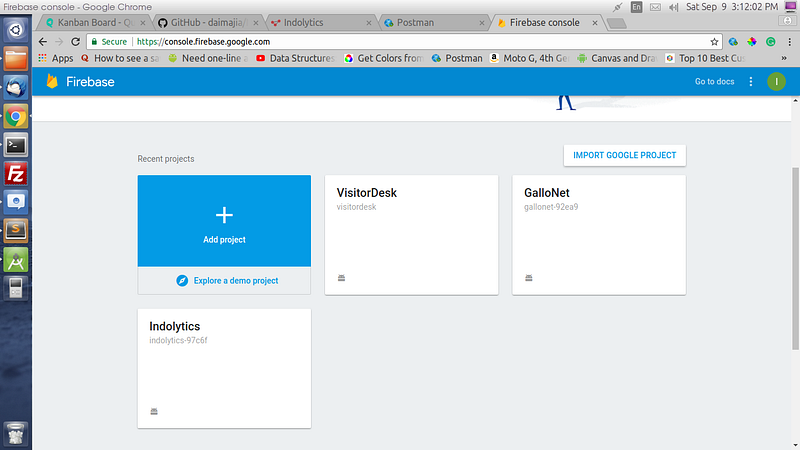
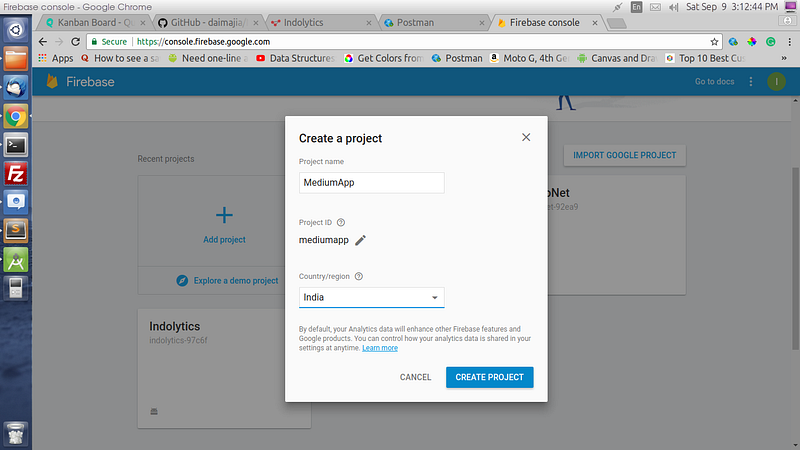
Step 2: Clicking on Add Project will pop this dialog up:
Step 3: Now click that green button in the middle for adding firebase to android app:

Step 4: Enter Package Name and SHA1 Key for step one:
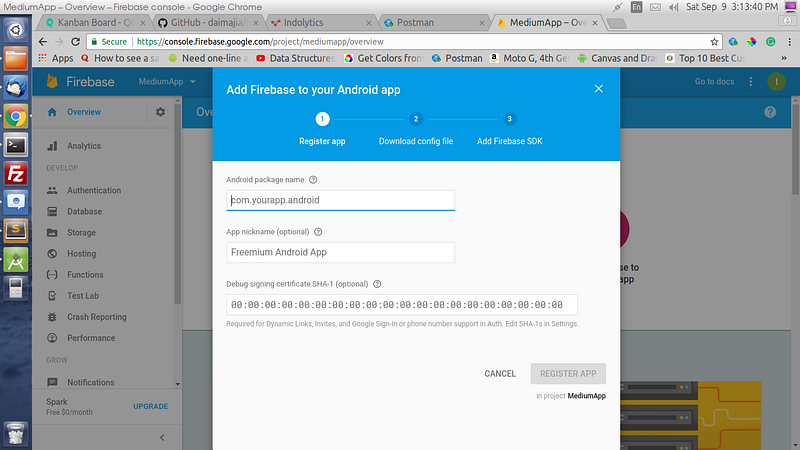
keytool -list -v -keystore C:\Users\user\.android\debug.keystore -alias androiddebugkey -storepass android -keypass android
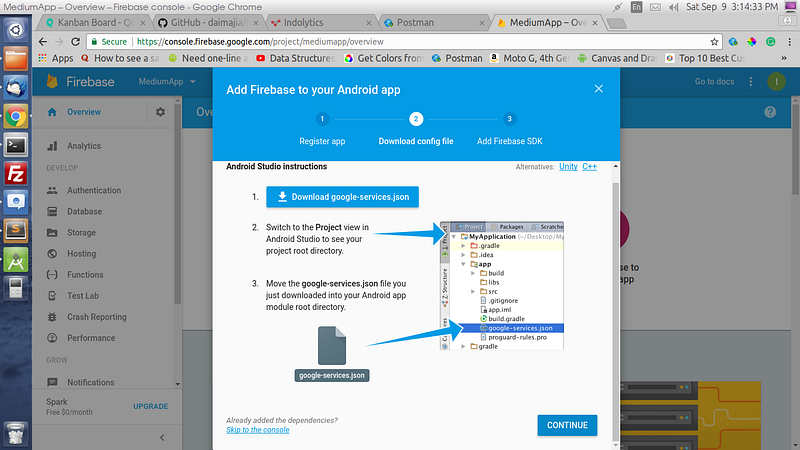
Step 5: Now Download the googleservices.json file and place in your Android Project.
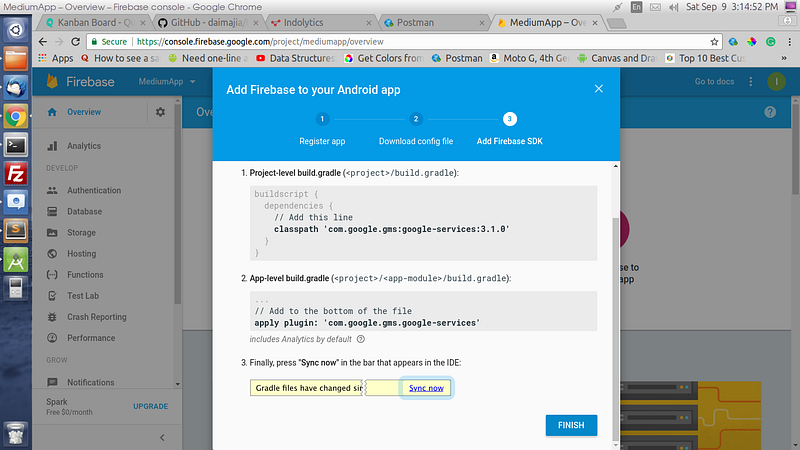
Step 6: Now Add the below two lines in respective build.gradle files:
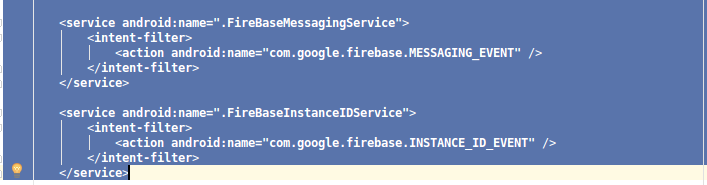
Imp Note: Add two java classes in your Android Project main package with preferably these names:
- FireBaseInstanceIDService.java
- FireBaseMessagingService.java
Now Add these codes in the respective files:
— — — — — — — — — — — — — — — — — — — — — — — — — — — — —
FirebaseInstanceIDService Code:
===============================
— — — — — — — — — — — — — — — — — — — — — — — — — — — — —
FirebaseInstanceIDService Code:
===============================
public class FireBaseInstanceIDService extends FirebaseInstanceIdService{
private static final String TAG = “MyFirebaseIIDService”;
@Override
 public void onTokenRefresh() {
//Getting registration token
 String refreshedToken = FirebaseInstanceId.getInstance().getToken();
//Displaying token on logcat
 Log.d(TAG, “Refreshed token: “ + refreshedToken);
 }
 }
— — — — — — — — — — — — — — — — — — — — — — — — — — — — —
FirebaseMessagingService Code:
===============================
FirebaseMessagingService Code:
===============================
public class FireBaseMessagingService extends FirebaseMessagingService implements Constants {
private static final String TAG = "MyFirebaseMsgService";
    private static int count = 0;
@Override
    public void onMessageReceived(RemoteMessage remoteMessage) {
        //Displaying data in log
        //It is optional
        Log.d(TAG, "Notification Message TITLE: " + remoteMessage.getNotification().getTitle());
        Log.d(TAG, "Notification Message BODY: " + remoteMessage.getNotification().getBody());
        Log.d(TAG, "Notification Message DATA: " + remoteMessage.getData().toString());
//Calling method to generate notification
        sendNotification(remoteMessage.getNotification().getTitle(),
                remoteMessage.getNotification().getBody(), remoteMessage.getData());
    }
//This method is only generating push notification
    private void sendNotification(String messageTitle, String messageBody, Map<String, String> row) {
        PendingIntent contentIntent = null;
        Uri defaultSoundUri = RingtoneManager.getDefaultUri(RingtoneManager.TYPE_NOTIFICATION);
        NotificationCompat.Builder notificationBuilder = new NotificationCompat.Builder(this)
                .setLargeIcon(BitmapFactory.decodeResource(getResources(), R.drawable.ic_launcher))
                .setSmallIcon(R.drawable.ic_launcher)
                .setContentTitle(messageTitle)
                .setContentText(messageBody)
                .setAutoCancel(true)
                .setSound(defaultSoundUri)
                .setContentIntent(contentIntent);
NotificationManager notificationManager =
                (NotificationManager) getSystemService(Context.NOTIFICATION_SERVICE);
        notificationManager.notify(count, notificationBuilder.build());
        count++;
    }
 }
Another Imp Note: And register both these files in your Projects AndroidManifest.xml file in the <application> tag.
Step 7: And Now Go back to Firebase Console and Go to Notifications from Side Menu which will open this screen:
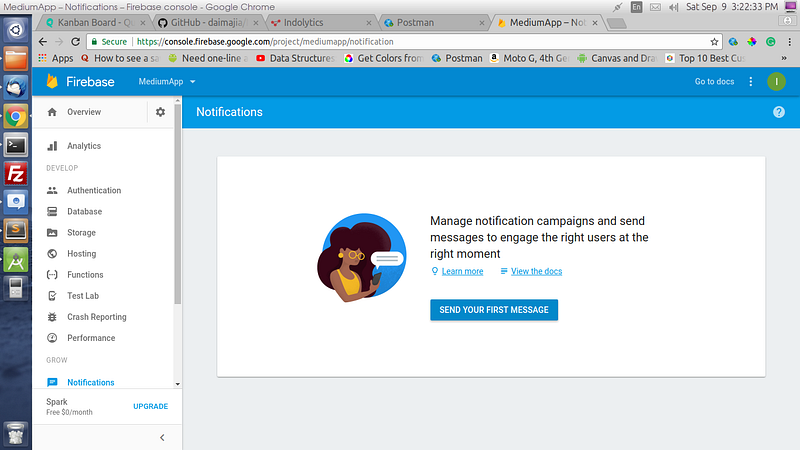
Step 8: Now just enter Notification Message and select your app package name to send the push.
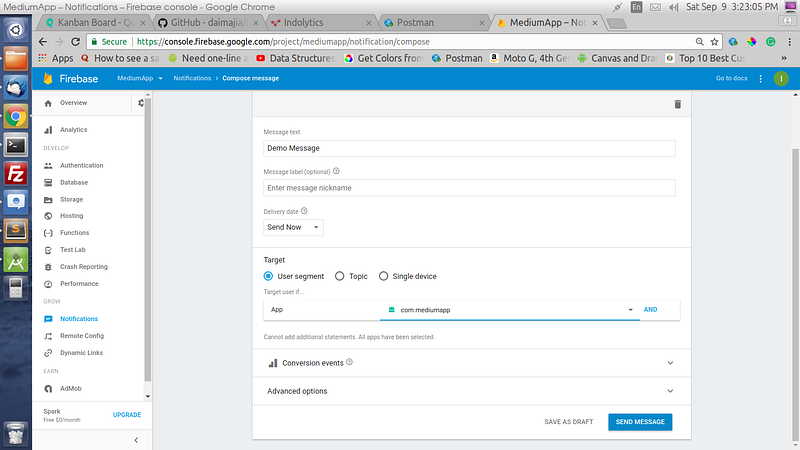
Step 9: Hopefully if you have performed each step then you will get the push notification in your device.
Comments
Post a Comment